Changelog

Follow new updates and improvements to Jinxxy.

September 9th, 2026

Hey everyone! Another update week, so let's get into it:

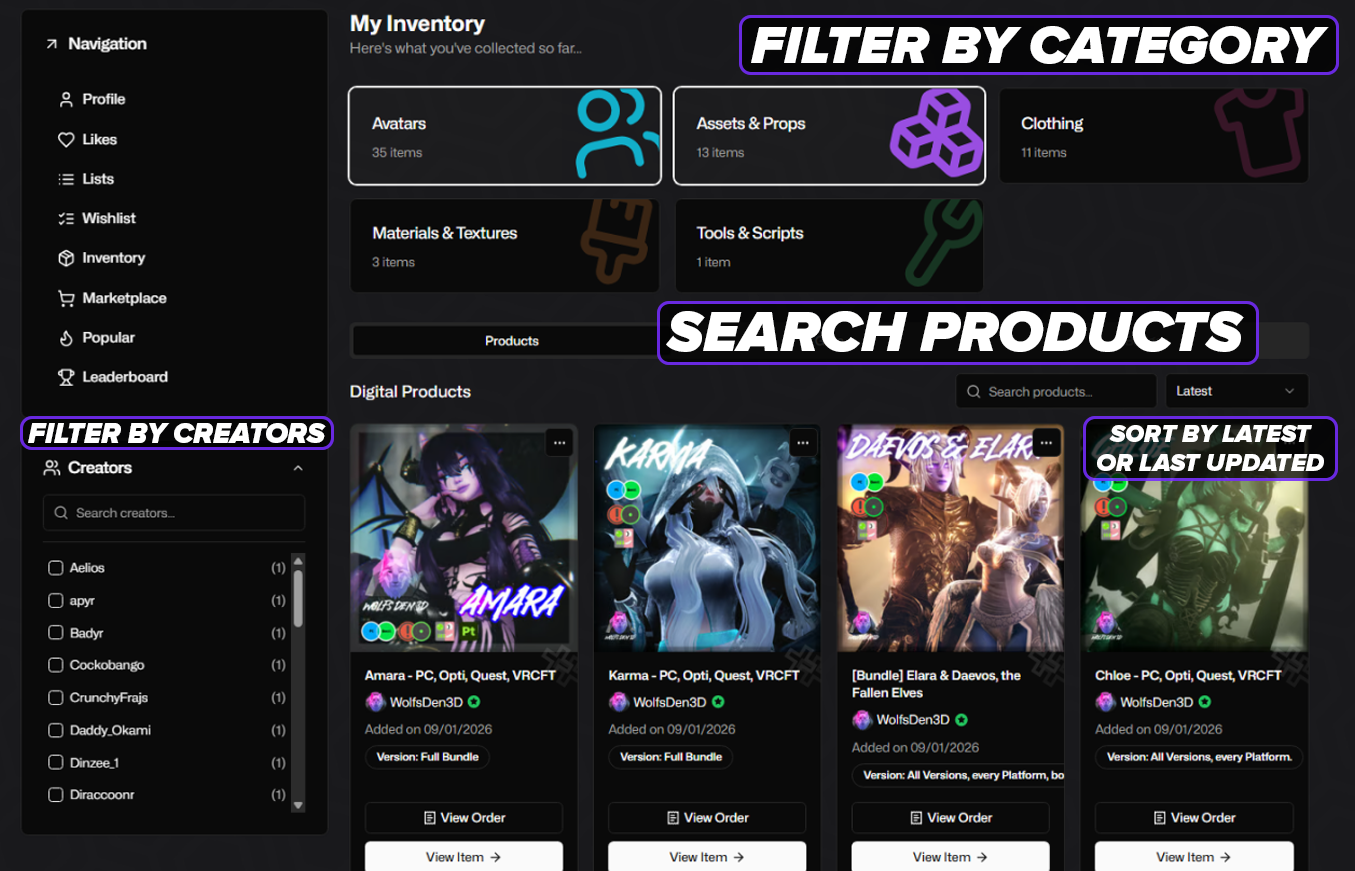
Inventory Revamp

We’ve added some nifty features to the inventory page! You can now search for products, or even a specific creator! Properly sort by Latest or Last updated. You can also filter by category! Check it out here in your Inventory.
You can now sort and filter by:

  • Product Categories

  • Gifts

  • Date obtained

  • Last Updated

  • By Creator

AI Filtering (Update)

We’ve added a new filter in your Account Settings!
Under “Filtered Content” in your account settings, there is a new section for filtering and hiding AI-generated listings while exploring the Marketplace.

Remember, failing to tag listings as AI-Generated will be removed from the Marketplace by our Moderators! AI usage MUST be disclosed in the description for any product or listing.

Misc Bug Fixes

  • Explicit Content Overlay now respects your filter settings

That's all for now - hope you all have a fantastic week!

August 27th, 2026

Hello Creators!

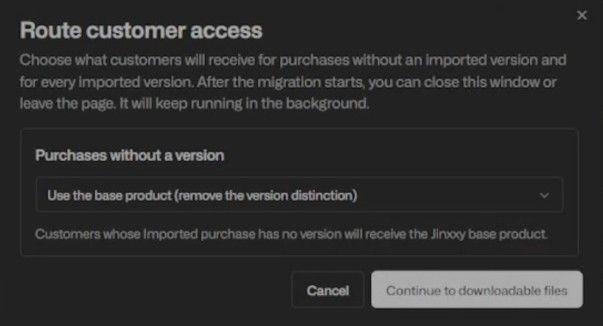
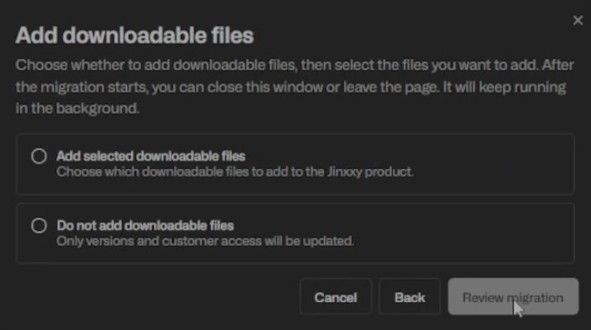
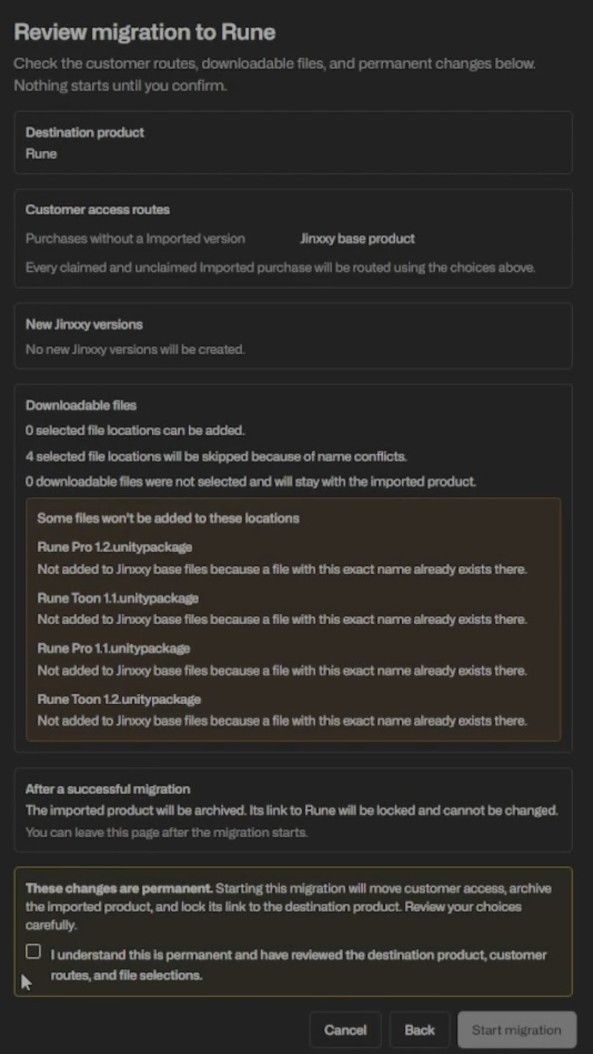
If you’ve ever wanted to move your products and customers over from Gumroad to Jinxxy, we have some exciting news to share - we have now made this possible!

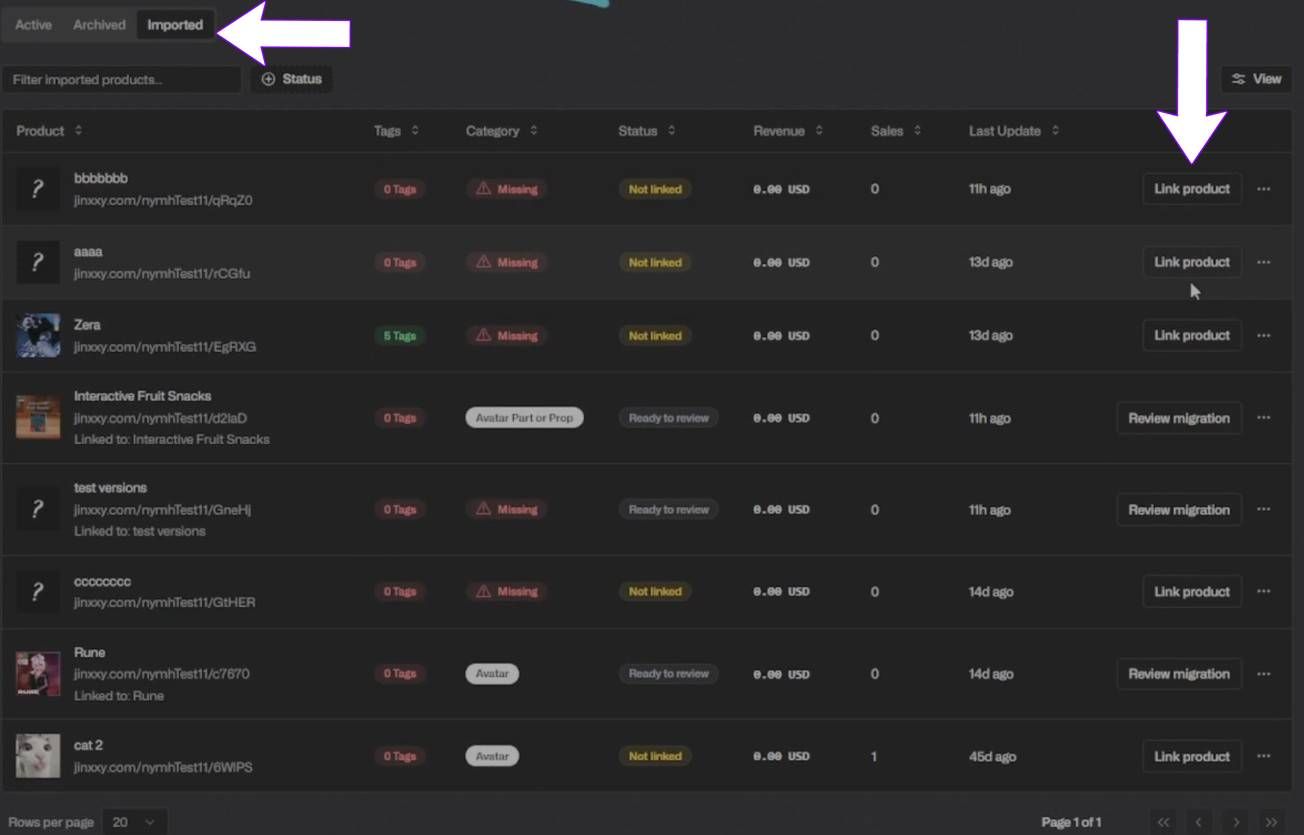
With our new store importer, after you link your Gumroad account, it will detect your existing listings from Gumroad to import. You can then select any number of items to perform a ONE TIME import of your products’ details, customers and files over to your Jinxxy store.

*Please note that at this time, the tool does not support videos - so you will have to add them manually once imported if your listings contained any.

DISCLAIMER: If you add more listings to your Gumroad store in the future, you will not be able to import them using this tool. This tool is only intended for creators who want to migrate off of Gumroad.

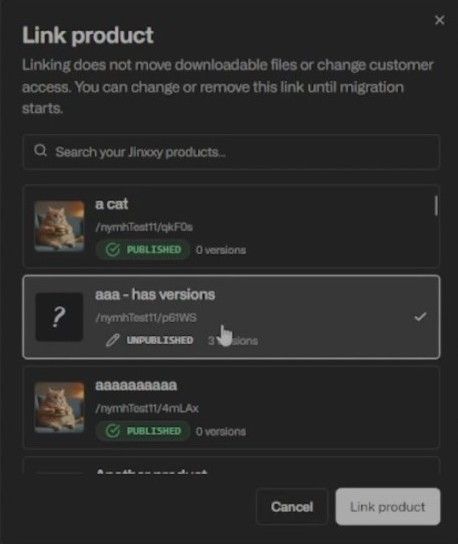
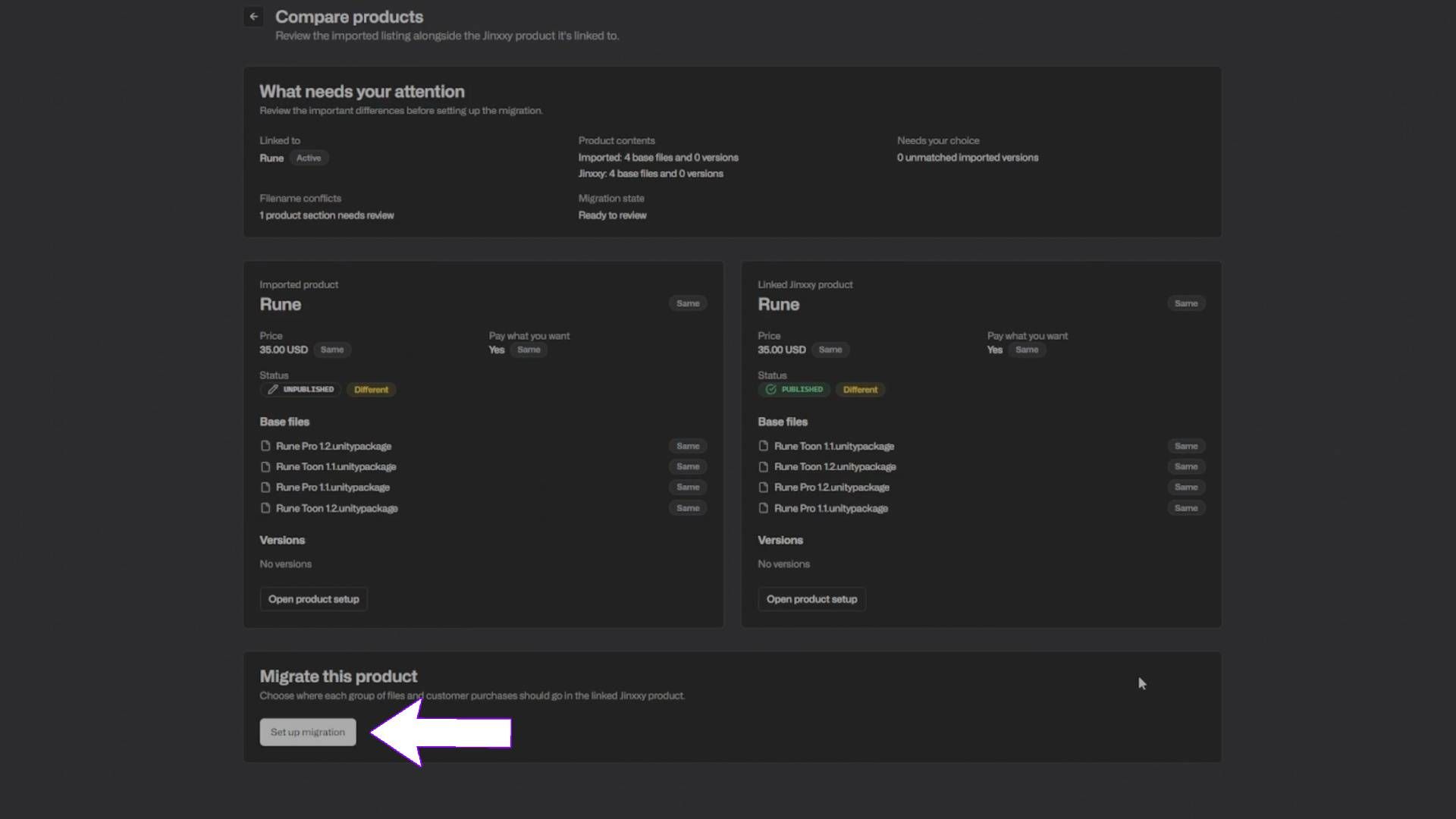
The imported listings will show up under your products as drafts that won’t be published until you choose to. If your listing’s name is a duplicate of another item on your Jinxxy store, the two will be linked together and only one will be able to be visible on the marketplace at a time to avoid confusion.

Once the move is complete your customers will receive 1 of 3 notices, based on the connection between their Jinxxy & Gumroad -

  • If their Jinxxy and Gumroad accounts are linked - they’ll receive a notice that they can now access the product through Jinxxy, completely seamlessly in their inventory!

  • If they have a Jinxxy account under the same email as the one used for the Gumroad purchase, but the accounts are not linked - they will be asked to log in to connect the two together.

  • If the email they provided to Gumroad to purchase your product is not associated with a Jinxxy account, they will be asked to sign up & link their account.

*For the most seamless experience, we recommend announcing to your community that they should have their Gumroad linked to their Jinxxy accounts as soon as possible!

To link your customer’s Jinxxy account with their Gumroad account:

  • Navigate to “Account Settings” from the drop down menu under your profile’s navigation bar.

  • Scroll all the way to bottom of the Account Setting Tab > Connected Apps

  • Locate the Gumroad Account Section and select “Connect Gumroad Account”

Once the customer claims the item, a new license key for that product on the Jinxxy platform will be made. If access to the product was revoked on Gumroad before this import, they will not be receiving it on Jinxxy.

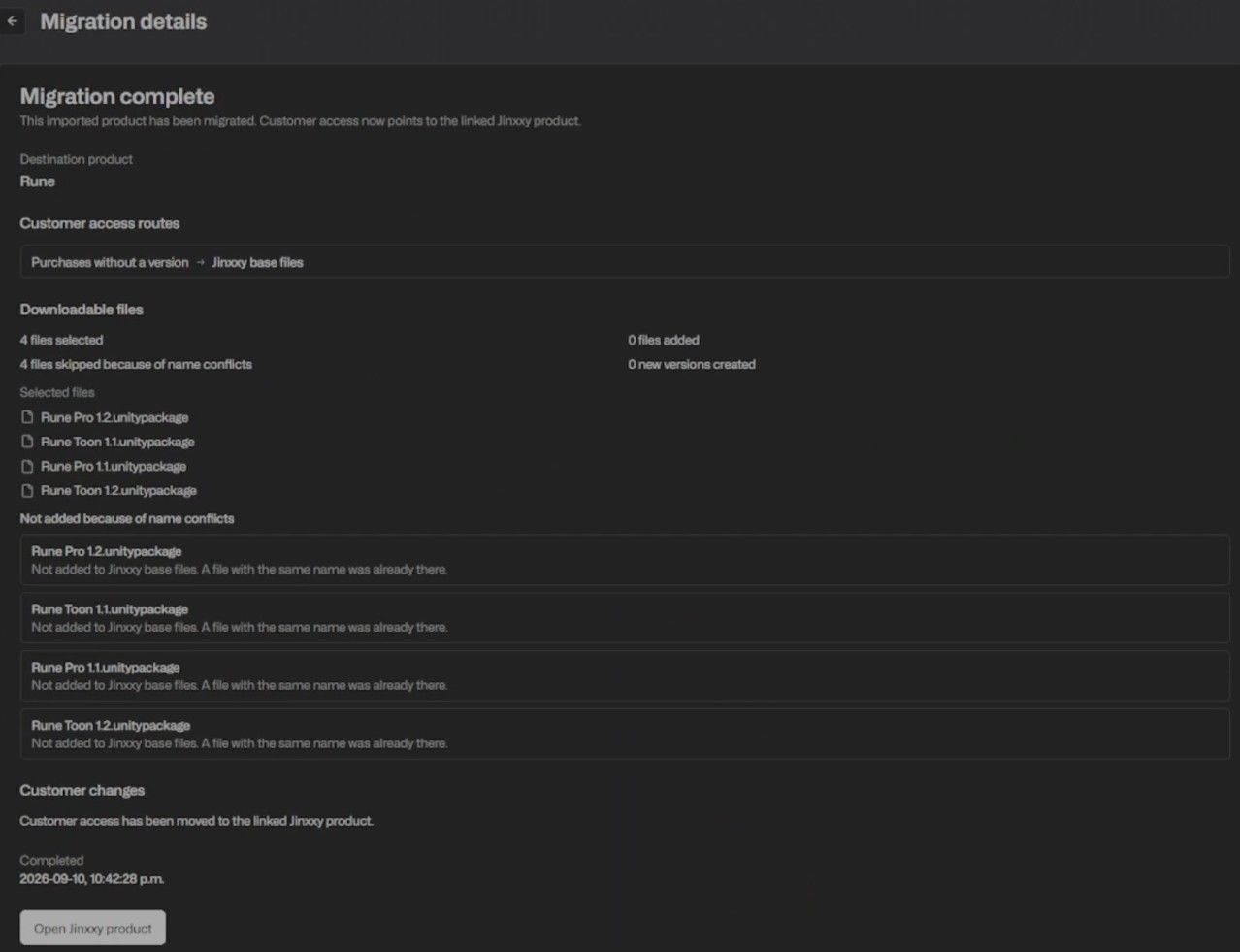
A successful product and license claim to the account will look like this and will be labeled with an “Imported from Gumroad” tag.

Ready to move your listings over? Then go to your creator dashboard at Jinxxy Creator Dashboard, select your store and click “Import Gumroad Store” to get started!

We’ve worked tirelessly to bring this feature to our community with a process as seamless as possible after receiving your valued feedback, the things we do wouldn’t be possible without you!

Thank you for your continued care and support as we strive to make the best platform possible!

Sincerely, the Jinxxy Team

FAQ

Q: I cannot link my Gumroad to my Jinxxy account, What does "Exchange Failed" in URL bar mean? / What does error message “Gumroad could not be connected” mean? / Gumroad is failing to connect to my account?

A: This is Gumroad rate limiting API calls. We’re looking into solutions for this, at this time we suggest waiting a while before trying to link Gumroad to your account again.


Q: What happens when you import a product from Gumroad? What is carried over?

A: When you import an item from Gumroad, it will create an unpublished version of your Gumroad listing on Jinxxy, so you can check the information and edit it. It will import files, product description, images, (videos are NOT supported, they will have to be manually added), and customers will receive an email to the address they provided to Gumroad for the purchase, and be granted a new license for the product on Jinxxy.

Q: What are the differences between unpublished, unlisted and published listings?

A: For all 3 types, as long as they have claimed it in their inventory they will be able to access the product.

  • Unpublished - Only you can see this product, ideal for editing.

  • Unlisted - Only users with direct links can see and purchase the product. It is not listed on the marketplace or your profile.

  • Published - Listed on the marketplace and your profile.

Q: What if I have duplicate / pre-existing listings on Jinxxy from Gumroad?

A: If you have the same listing on Gumroad as Jinxxy, if they have the exact same name and syntax, the importer will detect this and copy import the listing over from Gumroad as an unpublished, linked product to your Jinxxy store. This duplicate, linked listing will not be able to be published and will remain linked to the original Jinxxy listing, to avoid customer confusion when browsing the marketplace. Customers will be able to access the Gumroad version of the listing, and receive a license key for that variant.

Q: My listing names are different on Gumroad / Jinxxy but they’re the same product, what can I do to mark them as duplicate?

A: If they have different names, you will have to change them to the exact same name and syntax for titles and versions to denote them as a duplicate and the two will be linked. Otherwise this will be imported as a different product entirely. As of this time there’s no way to manually mark existing listings on Jinxxy as a duplicate of one you are importing from Gumroad. 

Q: If I update a linked listing, will the other listing automatically update?

A: If you update one version of the listing, the other will not be automatically updated at this time. This means you will have to upload any updates twice at this time.

Q: Can I merge linked or duplicate listings?

A: We are looking into merging listings, but that functionality is not implemented as of this time.

Q: What happens to my Gumroad listing after the import?

A: Your Gumroad listing is not touched at all, customers will retain access to all of their goods on Gumroad. You will have to remove the Gumroad listing or turn off sales manually after the import.

Q: What emails will my customers receive when I import my listings? / How will my customers receive their purchases on Jinxxy post import?

A:

  • If their Jinxxy and Gumroad accounts are linked - they’ll receive a notice that they can now access the product through Jinxxy, completely seamlessly in their inventory!

  • If they have a Jinxxy account under the same email as the one used for the Gumroad purchase, but the accounts are not linked - they will be asked to log in to connect the two together.

  • If the email they provided to Gumroad to purchase your product is not associated with a Jinxxy account, they will be asked to sign up & link their account.

Q: Can I use this tool again in the future to import my Gumroad products?

A: The Gumroad Store Importer is a one-time use tool that snapshots your current Gumroad listings and brings them over to your Jinxxy store. This is intended for creators that want to move off of Gumroad, if you add new listings or new customers purchase listings you already imported on Gumroad, you will not be able to copy over the data again.

July 31st, 2026

New

Fixed

Hey everyone! Been a little bit, but back to our regular changelogs!

Generative AI Tagging & Filtering

We have added a toggle on the product editing page where sellers can tag their products for Gen AI usage if applicable. They will also be prompted with a text box to describe how AI was used in their product.

When viewing one of these products, users will see a clear Gen AI usage disclosure on the product page.

Users have the option to filter out and hide tagged AI-Generated listings while exploring the Marketplace via the "Filters" area on the left side of the page.

It is already an existing policy in our Terms of Service and Marketplace Guidelines that AI usage MUST be disclosed in the description for any product or product listing that contains it.
Moving forward, tagging these listings will be a requirement! Failure to do so will result in said product being removed from the Marketplace by our Moderators!

User Currency & Price Conversion

Users have been given the ability to set their preferred currencies while browsing the Marketplace.

This feature is accessible via a dropdown menu located next to your profile at the upper right side of the site.

This should make it easier for international users to see how much they are spending!

Please note that all transactions will still be completed in USD.

Misc. Bug Fixes

  • Creators can now press 'Retry" when a content file fails to upload, and it will reattempt the upload

  • One-time use codes can only be applied to one product and will only work once

And that's all for now! Lots more coming soon!

June 17th, 2026

New

Hello everyone! It’s been a little bit since our last changelog! This one is pretty packed, so be sure to read through all of it!


Customer Loyalty Points

We have added Loyalty Points to the site!

Customers can now earn Loyalty Points by buying from their favorite creators. The points a customer earns can be used to redeem rewards from the creator they support.

Rewards consist of products that creators can choose to sell for Loyalty Points!

To do so, follow the same steps as if you're creating any other item, and when you get to the currency option, set it to "LP".

All loyalty points orders behave and get recorded the same as any other order, with the payment method being recorded as points and the dollar revenue line $0.

(This does not affect creator payout dollars, nor do these orders affect creator payout calculations)

PLEASE NOTE: A customer's points balance with one creator cannot be used to buy another creator's product!

Product and Store-Wide Discounts & Sales

The Sales Feature is here!

Creators can now start limited-time sales on single products or their entire store without needing a discount code! So anyone who visits their store or specific product gets the discount automatically.

Within the Creator Dashboard, creators have options to schedule a sale, set its discount amount, cancel a running sale early, or adjust the discount amount during a running sale!

Product Sales do come with a few rules to keep in mind:

  • Sales can only run between 1 and 14 days

  • After a creator runs a sale, they will need to wait a cooldown of 28 days before they can run another sale

  • Cooldowns are tracked separately per sale type. If you ran a store-wide sale, you can still run a sale on a specific product without needing to wait the cooldown duration

  • Sales discounts can be set at a minimum of 5% and a maximum of 80%

  • Sales discounts cannot be stacked with discount codes

  • Sales are an entirely separate feature from Discount Codes, which will continue to work the same as they always have

We have also added this new page: https://jinxxy.com/market/sales, where you can view all currently active sales!

Wishlist & Product Alerts

We have now added email alerts to inform customers of the following:

  • When a product on their wishlist goes on sale

  • When the price of a product on their wishlist is lowered

  • When the creator of at least one of their owned products starts a store-wide sale

Like existing email notifications, these alerts can be muted in your notification settings.

In addition to email notifications, these alerts will also appear as notifications on the website. These can also be muted in your notification settings.

Only one notification will be sent per product sale, if the same product goes on sale twice in a row, a second notification will not be sent.

Customer License Code & Activations

We have added the abilities for creators to manage customers' licenses, add an activation, revoke an activation, or regenerate license keys to the Creator Dashboard, they are no longer restricted to just the Creator API!

The following API actions are now available from the per-product license/customer view:

  • Suspend license/customer access

  • Revoke individual activation

  • Regenerate license key

  • Activate license keys

Product File Folders

In an effort to be more transparent with customers about what they are getting, we have removed the ability for creators to upload compressed files (.zip, .rar, .7z, etc) to product listings.

To ensure creators still maintain an easy upload process, we have added the ability for creators to easily upload multiple files at once into folders or just upload entire folders at once.

To be clear: You do not have to drag files individually; you can drag whole folders in.

Once a customer has bought a product, they can select the "download all" button and all folder contents will be compressed and downloaded as a .zip file.

All listings that contained compressed files before this update are unaffected.

Payment Provider Transaction IDs

Creators can now view the specific transaction ID from Stripe or PayPal when Jinxxy sends a payment out.


That’s all for now! Going forward, you can expect these changelogs to start coming out on a more regular basis!

If you’re after even more frequent update notices, consider joining our Discord Server!

April 22nd, 2026

New

Morning all! We've pushed some updates to products and the Creator Dashboard!

Affiliates / Referral Links & Codes

With this update, sellers can give promoters (streamers, content creators, promotion events, etc) an affiliate URL or code that will credit the promoter a percentage of the sale!

Via the Creator Dashboard, sellers can:

Select a user by their Jinxxy username -> set the percentage they receive -> set the discount rate (OPTIONAL) alongside the unique promoter code.

Sellers can adjust commission rates and affiliate codes on specific products.

Additionally, sellers can:

  • Notify (send a mass email to) all their own affiliates

  • View an archive of all former affiliates

  • View revenue and sales numbers for each affiliate code

And, promoters will:

  • See revenue and sales from their unique codes

  • View all their active affiliate codes via the Creator Dashboard

  • Receive emails for each creation, edit, and deletion of their affiliate codes / URLs

We have also included a display to show customers who is being credited for the sale so they can make sure they're supporting the correct promoter!

Required Products

We have now implemented the ability for sellers to set "required products" in order to purchase a specific product in their shop!
This feature is primarily intended for sellers who would like to sell add-ons for, or the edited version of an existing avatar. Provided the avatar's terms permit it.

Via this feature, creators can now select a specific product that a customer would be required to have in their Jinxxy inventory in order to purchase their product.
For example, if someone creates an edit of another model, they can now require customers to have the original model in their Jinxxy inventory before they can purchase the edit.

Customers can also clearly view when a product requires an inventory item to purchase and what item is required.

Okay! That's all for the time being. More updates to come!

January 17th, 2026

New

Improved

Fixed

Hey everyone! Another big update week, so let's get into it:

Review Reminders

Customers now receive an email 24 hours after downloading a purchase, reminding them to leave a review. They'll also earn 50 Jinxxy XP and 100 Loyalty Points for doing so.

Creators will now get a notification email when they receive a new review.

Creator-to-Customer Emails

We've done some backend work to fix sending emails to your customers. Let us know if you encounter any issues by submitting a report on the feedback site.

Community Tagging & Leaderboard

The community can now help categorize and tag products. Our automated systems and creators still set the initial category and tags, but the community can add tags, vote on them, or change incorrect ones if the majority agrees.

There's a new tagging mode on marketplace pages that you can toggle from the sidebar. With this enabled, clicking a product opens a quick view showing its applied tags instead of navigating to the product page. You can also access this from the ⋯ menu on any listing.

Creators can see tag votes from the Publishing & Marketing tab on their product page (or the sidebar for external products).

Users earn 50 XP for each tagging contribution. Check out the leaderboard at https://jinxxy.com/leaderboard/tagging — we'll likely reward top contributors in the future. Let us know if you have ideas!

Please try it out and let us know if you have any feedback.

Customers Page

The creator dashboard now has a new customer details page where you can see all of a customer's stats, orders, and licenses in one place, along with their activity feed.

Customers have been backfilled from before this system existed, so all your historical customers should now appear and stay updated.

New license events are now available on the customer timeline: LICENSE_CREATED, LICENSE_DELETED, LICENSE_DISABLED, LICENSE_ENABLED, LICENSE_ACTIVATION_CREATED, LICENSE_ACTIVATION_DELETED, LICENSE_ACTIVATION_UPDATED

We plan to expand this system once we finish implementing customer loyalty rewards so you can reward your most loyal customers. (That's what LP has been for this whole time!)

Misc Fixes & Changes

  • Fixed the /me endpoint on the Creator API

  • Fixed an issue where the next payout date widget wasn't respecting time zones properly

  • Faster product and customer loading on the creator dashboard

  • Adjusted the marketplace trending formula (see announcement) — we'll continue monitoring and tweaking to align with the goals stated there

That's all for now - hope you all have a fantastic weekend!

January 9th, 2026

New

Improved

Fixed

Hey everyone,

Welcome to our first changelog for 2026 and it's a big one, so it's been reduced into bullet points where we can.

Marketplace

We have added various types of sorting.

  • We have added quick categories for users to quickly apply popular filters. You can see these on the homepage and at the top of the marketplace pages.

  • Top ratings now show products with the best and most reviews.

  • Featured is now the default sorting. It uses an algorithm to show products that are doing well and lets them stick around near the top longer.

We have hundreds of new products appearing daily on the site. This, combined with de-duplication, should help products that are getting interest from being buried too quickly for most customers to see.

On average during the week, most customers visit the marketplace every day or every other day. This, combined with tagging and other features that are in progress, should help give more visibility to products that customers are interested in.

That being said, it will take time to tweak and get right, but ultimately this should help reduce the falloff of visibility after a few hours.

This, plus upcoming features to help with moderation, community tagging, and other improvements, should help with discoverability and searchability, but if you are a creator and not properly tagging and categorizing your products, we won't have good data to search by and they will be that much harder to find.

Creator Dashboard

  • Categories, tags, and mature content warnings have been revamped so they are less confusing to use.

Timeline

  • There is now a follower timeline in the timeline. This will show new products and posts from creators you follow, and it will also show when a product has been updated.

    • Still some work to do on this, please leave us feedback.

    • You can see it here: https://jinxxy.com/my/home?feed=following

Changes and Fixes

  • Our Terms of Service, Privacy Policy, and DMCA statements have been updated.

  • Review displays have been added to the product page and the mixed review state was fixed. Thanks to Nanochip and Kokos for the feedback.

  • We have slowed the featured carousel on the homepage and it will no longer automatically scroll when you are hovering over something. Thanks Kokos for the feedback.

  • Favorite buttons and wishlist buttons have been added to the product page. Thanks WolfsDen3D and Fuujin for the feedback.

  • Promotions no longer 404 after purchasing. Thanks for the feedback Nymh.

  • Fixed issues where the cart would not empty after purchases. Thanks KapnMittens for the feedback.

  • Fixed not being able to report products on the product page and the menu having repeated options. Thanks KobaKiju for the feedback.

  • Fixed not being able to delete a list. Thanks Takoyaki for the feedback.

  • Fixed an issue where the checkout page would load for a second and then take you back to the cart.

  • Fixed an issue where Gumroad stores would not update due to changes on their end.

Creator API

  • The Creator API has been reworked to fix performance issues and make it easier for us to maintain.

  • Documentation has been updated and can be found here: https://api.creators.jinxxy.com/v1/docs

  • Errors should now be more consistent and use RESTful status codes.

  • Licenses contain order info and orders contain license info, as requested, to reduce required calls.

  • Discount codes can now be created, edited, and deleted from the Creator API. A new scope is required, so make sure to add it to your API key in the Creator Dashboard.

  • Thanks to runtime for the feedback on most of these improvements.

Upcoming

Creator Onboarding

We are probably going to be launching our new creator onboarding process next week.

This automated onboarding will allow us to securely collect the information we need to pay you and provide your sales and tax reports at the end of each year.

Creators will need to complete this before we can provide sales reports for the year 2025. We will have more information in an announcement and an email after launch.

Support

We are also working on improvements to our support panel and internal tooling to improve the experience and support for creators and customers. Stay tuned for that.

That's all for now, hope you all have a great year!

November 14th, 2025

New

You can now leave reviews and help future customers better insight into what they’re buying.

Here’s what’s new and how it works:

🛍️ For Customers

  • You can leave a review on any item you own, even if it was gifted to you.
  • Reviews are based on a simple “Do you recommend this item?”
  • 100% “yes” = ⭐⭐⭐⭐⭐
  • 0% “yes” = ⭐
  • You can also add written feedback and review images.
  • All review images show up in the Reviews section on the product page.
  • For the first 30 minutes, you can edit or delete your review. After that, it becomes permanent.
  • Reviews you leave will appear on your profile and the creators profile.
  • If you refund an item, your review will remain visible but won’t count toward the star score.
  • If a review is irrelevant or breaks Jinxxy rules, you can report it for moderation. It will remain visible until a moderator takes action.

🎨 For Creators

  • Creators can see their new reviews in their Creator Dashboard.
  • You can respond to reviews publicly and it will display under the review.
  • You can approve customer review images and they display in your product’s main carousel.
  • All reviews you receive will appear on your creator profile.

📬 Coming Soon

  • Email notifications when you receive a new review as well as a setting to toggle it off.
  • Marketplace sorting by rating and review count.

This is our first version, and we’ll continue improving it with your feedback. So make sure to leave some on the Canny if you have any!

I also want to congratulate @Cole on this release as this was his first major contribution to Jinxxy ~~and only broke the site twice~~!

Go check your recent purchases and share your experience and help creators build out their reviews! 💜

October 4th, 2025

New

✉️ Creator Emails are back!

Creators can now send emails again to their customers directly from the Creator Dashboard. This wasn’t a simple fix — we’ve been migrating how we process things on the backend, and we’re excited to have this feature live again.

👥 Team Growth

The Jinxxy team is growing!

We’ve welcomed a new developer, Cole, to the team.
Mel has transitioned into a full-time position, focusing on some of our unannounced upcoming products.

🎉 Meet Us at TwitchCon

We’ll be at TwitchCon! If you’re a Jinxxy creator and planning to attend, reach out at hello@jinxxy.com. We’ll have some giveaways and will be hosting a few parties — don’t miss it!

August 16th, 2025

New

Hey hey - time for a quick update --

🎁 Gifting

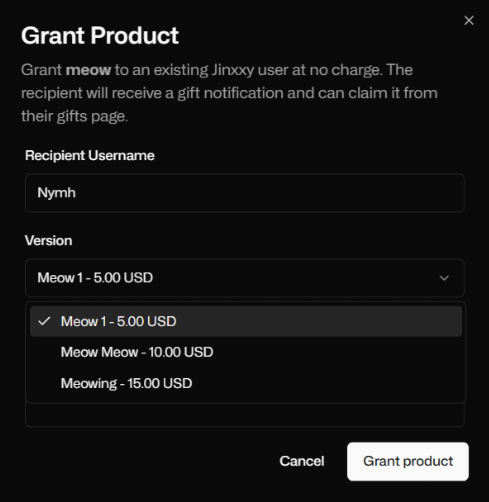
You can now gift items directly on Jinxxy!

When checking out, you can select any Jinxxy user by their username and include a personal message.

The recipient will receive an email notification with your message and a link to accept the gift.

You can check any pending gifts you may have on your inventory page.

If there are any checkout questions on the gift, the gift recipient will be prompted to enter them before they can accept the gift.

Gifts once accepted, they’ll appear right in the recipient’s inventory. A license key will also be generated at this time for the gift item.

📧 Seller Emails

Seller notification emails have been reworked.

They now handle multiple items per order much more clearly.

Financials are shown in a cleaner breakdown, so you can see earnings, fees, and splits at a glance.

💸 Refund Logic

The refund system is being rebuilt to handle the new way our order logic works.

This ensures more consistent handling of refunds and ties directly into our updated orders financial logic.

Seller facing refunds are temporarily paused while we finish this.

🔜 Next Up

We’re working on the new Orders page in the creator dashboard, giving it the same improvements as seller emails - clearer breakdowns for multi-item orders and the return of refunds with the updated logic.